Don’t forget to to try out the touchscreen when test driving a car
Auto Express’ senior news reporter explains why you shouldn’t ignore trying out the infotainment screen when you’re evaluating a used car

It’ll come as no surprise that the things car buyers need to consider have changed considerably over the years. In the fifties, they came across cruise control for the first time, likewise three-point seatbelts in the sixties and cassette-tape stereos in the seventies.
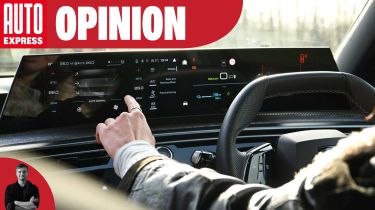
Since the turn of the millennium, touchscreens have become increasingly popular, and they’re now embedded in the dashboards of almost every new car on sale. They’re also something that it’s crucial to test properly before any purchase.

Most of us will have plenty of experience of using a touchscreen thanks to our phones and/or tablets, but operating a touchscreen in a car – and especially while driving – is far more difficult than with your other devices. In some cases it can be no more than mildly frustrating using the car’s display, but in others it can potentially put you and other road users at risk.
Last year we ran an exclusive test of 10 touchscreens. The assessments included a series of regular operations such as turning off the lane-keep assist system, setting a destination in the sat-nav and changing the temperature on the climate control, all while driving around a test course to see how distracting each set-up was to operate. Skoda’s system ranked the best, while in last place was Genesis. But it’s worth remembering that fresh touchscreen systems arrive almost every week, either on new cars or via updates to existing ones.
What’s the advice if you’re buying a car, then? Well, we think you should set aside time to understand the layout of the menus and any physical shortcut buttons that might help. Try operations you perform frequently – and not just while the car is stationary. If you’re new to a particular infotainment system, we suggest getting acclimatised to it before setting off.
It’s also worth remembering that while a new car’s touchscreen can be daunting or distracting to begin with, you’ll most likely become more adept at using it on the move with practice. However, in our experience a physical control will almost always be quicker and easier to operate.
As well as using the touchscreen itself, don’t forget to try out the infotainment system’s connectivity. Don’t assume every car has Apple CarPlay and Android Auto, but if you use either system, then take time on your test drive to make sure there’s no issue pairing your phone with the car.
Don't miss out! See more of Auto Express in your Google Top Stories. Click here...