What is Waze? The phone navigation app explained
All you need to know about the Waze map app that aims to be better than any other sat-nav or smartphone navigation available

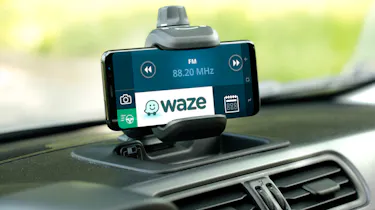
There are various different sat-nav and navigation apps for drivers to choose from these days, and Waze is often regarded as being one of the best by its users. It’s free to download and is incredibly detailed in providing real-time traffic data and hazards which might impact your journey.
In this guide, we cover everything you need to know about Waze, how to use it in your car and some of the disadvantages of using it over other map and navigation apps.
What is Waze?
If you're not familiar with it, Waze is a navigation app that uses data from users to offer real-time guidance when on the move.
Waze calculates fast routes by collecting information directly from its users (also known as Wazers). It does this by monitoring user movements, but also includes traffic information that can be reported live by users, so it doesn't just rely on local authorities for the info.
The theory is that this helps Waze to produce faster routes and quicker re-calculating of journeys if data shows a planned route is going slowly.
Of course, as with any navigation system, Waze should only be used for guidance, and not adhered to religiously. If a route is unpassable, don't simply plough on regardless. And besides, Waze gives you the ability to report a blocked route, helping you to earn points and unlock added functions within the app.
How you can use Waze in your car
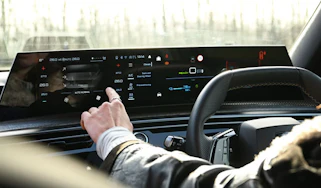
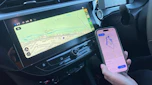
Using Waze in your car is fairly straightforward if you’re able to connect your phone to your car's infotainment system via Android Auto or Apple CarPlay.
Simply download the Waze app to your phone and once you connect your phone to your car, you should see the Waze app icon appear on your home screen.
If you own a car which uses Android or Google-based software as part of its infotainment system, like a Renault or Volvo, Waze might already come as standard or be available for download without the need of your phone.
How Waze is different from other navigation apps
On the surface Waze works just like any other navigation system in offering turn-by-turn route guidance with voice prompts, as well as real-time traffic information. But where Waze differs from other smartphone apps like Google or Apple Maps, is through its advanced features.
User-edited maps
Waze has a maps editor feature which allows users to update or correct road layouts or incorrect addresses.
Don’t worry about people changing the layouts and sending you the wrong way down a one-way street though, every edit is checked and peer reviewed before being updated for everyone else.
Community interaction with other users
Waze encourages users to add alerts including hazards such as potholes, mobile speed cameras, broken down cars or congested traffic.
In return for reporting hazards to other users, it’s possible to earn points, stickers or community recognition.
If you're driving, it's probably best to avoid inputting information on your journey while you're on the move. If you're stopped in traffic, that's the perfect time to update Waze and let other road users know to avoid the area you're in.
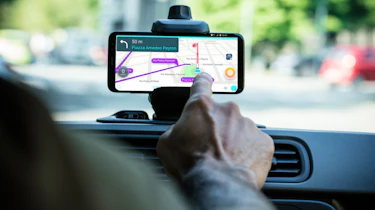
Just remember that it’s illegal to touch or hold your phone while driving, so ensure your phone is safely secured in a phone holder if you plan on using the mobile version of the app.
Crowdsource traffic information
Unlike traditional sat-navs or map apps which rely on traffic message channel updates from local authorities for info on congestion, road closures or diversions, Waze uses crowdsourcing for it to be effective.
The contribution that Wazers make by adding information about traffic, road closures, speed traps or (controversially) the location of police patrols means it offers an edge over other sat-nav units and mobile mapping software as information and routes are updated in real time. Although, Google Maps does have similar technology.
Disadvantages of using Waze over other navigation apps
Waze was purchased by Google in 2013, so much of the info and tech which made it stand out initially has since been incorporated into Google Maps, with real-time traffic updates being much better than they used to be.
Connection drop-out
As Waze is an online mapping tool, it works best when you have a strong mobile phone signal as it can provide the latest and most up-to-date information.
However, all is not lost if your 4 or 5G coverage drops out. Waze stores your planned route as an offline map so that it can continue to give guidance information when you're beyond the reach of your mobile coverage.
And as long as you stick to the planned route, then Waze will continue to guide you - but if you go off route, then you'll need to get back into mobile coverage as soon as possible to get back on track.
Advertisements
Unlike traditional sat-navs or navigation apps from Apple or Google, Waze displays advertisements and there is no way of fully removing them.
Click here for our in-depth guide into Apple CarPlay...